Smart Lines and Arrows
Smart Line and Smart Arrow are native editable objects for clean whiteboard diagrams. They are not generic SVG hacks.
Under the hood, Scribe Animator stores them as:
smartLinesmartArrow
Use them for process diagrams, concept maps, before/after flows, product walkthroughs, callouts, and educational explainers.
Visual orientation
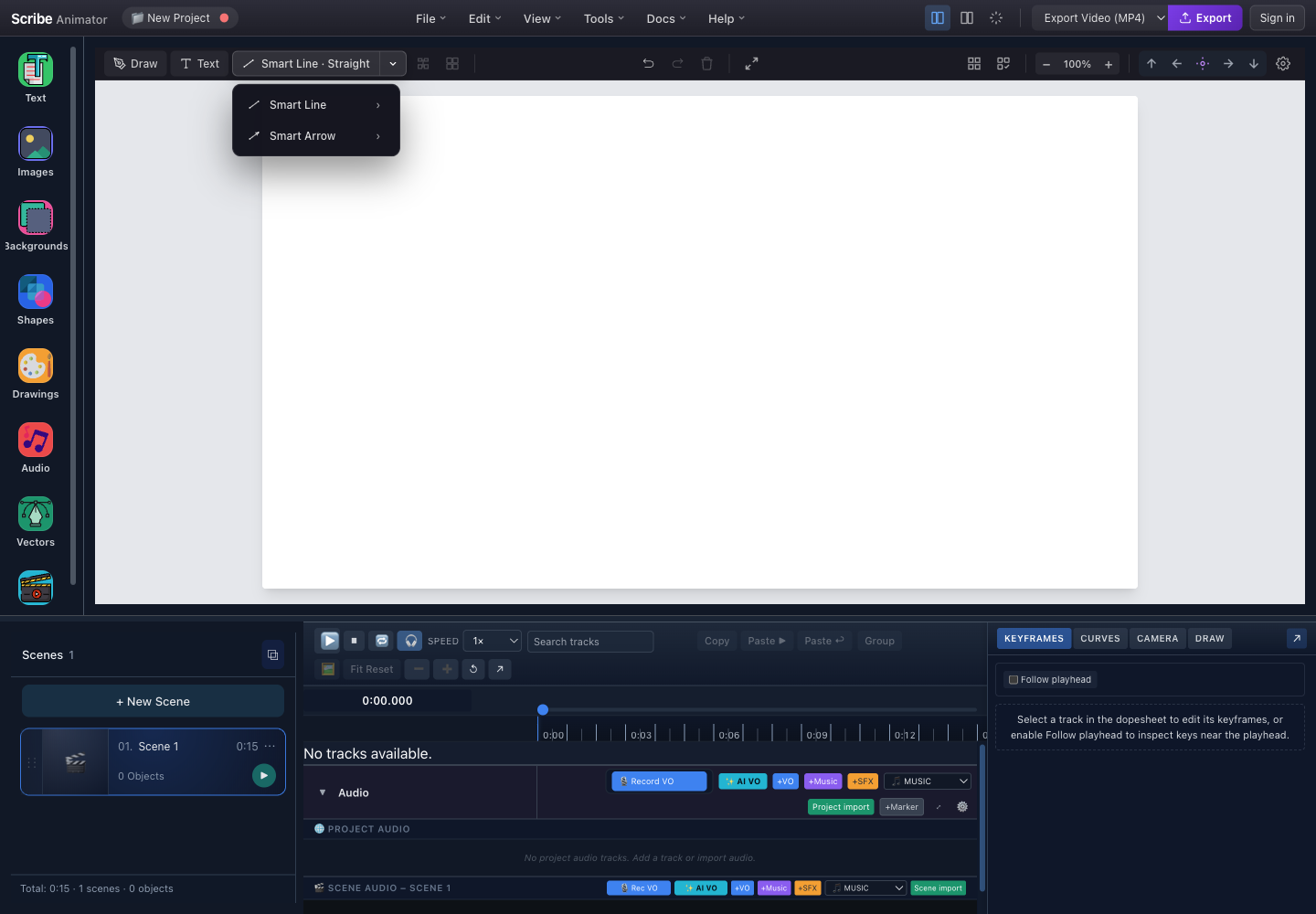
- Current connectorClick the main button to insert the displayed Smart Line or Smart Arrow route immediately.
- Variant chevronOpen the family menu without inserting an object.
- Smart LineChoose a non-directional connector, then select Straight, Curved, or Elbow.
- Smart ArrowChoose a directional connector with the same three route families.
This capture and its control locations were checked against the running desktop editor with browser-based UI review on July 26, 2026. For real selection, attachment, endpoint, waypoint, styling, Desktop, and Mobile Lite steps, follow Select, arrange, group, and connect objects.
Variants
Smart Lines and Smart Arrows support three route variants:
- Straight
- Curved
- Elbow
Use Smart Line for a non-directional relationship between ideas. Use Smart Arrow when you need to show flow, sequence, dependency, or cause and effect.
Common Uses
- Process diagram animation
- Concept maps
- Before/after flows
- Product walkthroughs
- Callouts
- Educational explainers
- Arrows between concepts
Basic Workflow
- Choose Smart Line or Smart Arrow from the toolbar.
- Choose a straight, curved, or elbow route.
- Place it on the canvas.
- Edit the route and style.
- Animate or reveal it as part of the scene.
Template Authoring Guidance
When writing or generating templates, do not fake arrows with inline SVG if the intent is an editable relationship arrow.
Prefer native smartLine and smartArrow objects in AI-generated templates. They stay editable in the editor and work better for repeatable whiteboard explainer layouts.