Plugin System - Complete Guide
This archived guide covers the supported Plugin Manager workflow for Scribe Animator 1.0. It intentionally omits private repository layout, implementation topology, administrative operations, and internal security or resource-policy details.
Open Plugin Manager
Open Tools → Plugin Manager. Use Installed to inspect user-visible capability state and Diagnostics when troubleshooting a visible failure.
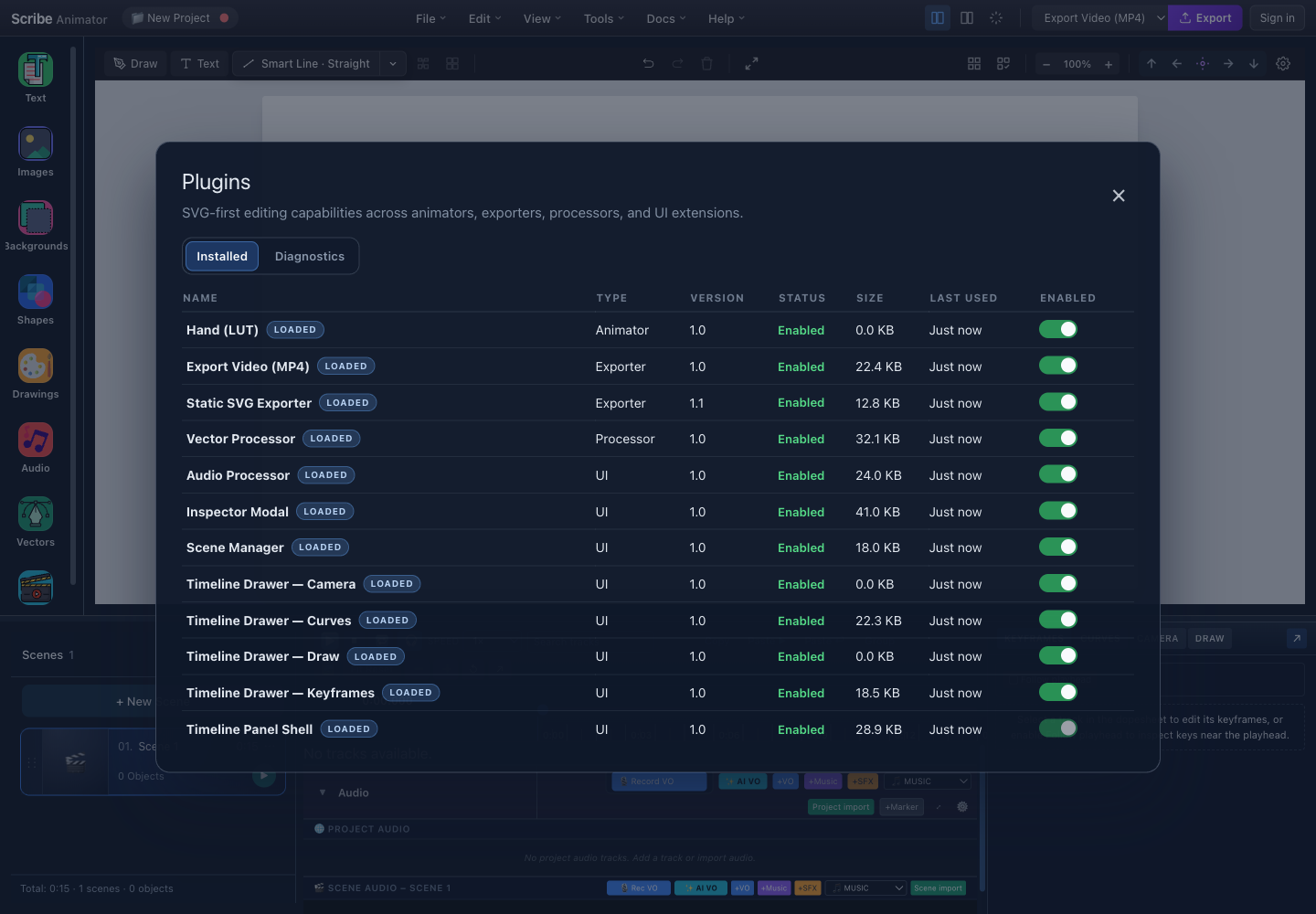
- InstalledReview user-visible capability state.
- EnabledToggle only an available optional capability.
Read a capability row
| Field | Meaning |
|---|---|
| Name and type | The user-visible capability and product area |
| Version | Version supplied by the current build |
| Status | Whether the capability is available and healthy |
| Enabled | Whether an optional capability is active |
Required, missing, faulted, pending, or policy-locked rows may not be toggleable.
Enable or disable safely
- Save the project and finish active imports or exports.
- Match the row to the feature you are troubleshooting.
- Inspect its status and details.
- Change Enabled only when the capability is optional and available.
- Retry one small operation and inspect the real result.
Disabling a capability does not convert or repair project data. Re-enable it and preview the project before export.
Permissions, Repair, Reload, and Diagnostics
Grant only permissions that match the action you intentionally started. Repair can recover supported fault state, while Reload can restart a stale managed capability. Neither action installs a missing package, bypasses product policy, or grants denied permissions.
Diagnostics can help support investigate a problem, but they do not prove that an imported canvas or exported file is visually correct.
Public contract boundary
Plugin Manager is a supported product surface for capabilities included in a Scribe build. This page does not promise a public plugin marketplace, unrestricted editor access, stable private capability identifiers, or a general third-party SDK.
For current behavior and troubleshooting, use Understand plugins and Plugin Manager.