Understand plugins and Plugin Manager
Plugins supply bounded Scribe capabilities such as processors, exporters, editor panels, and timeline surfaces. Plugin Manager is the supported user interface for inspecting those capabilities and, where policy allows, enabling or disabling them.
Open Plugin Manager
- Open Tools in the application header.
- Choose Plugin Manager.
- Use Installed for status and enablement.
- Use Diagnostics when troubleshooting a visible failure.
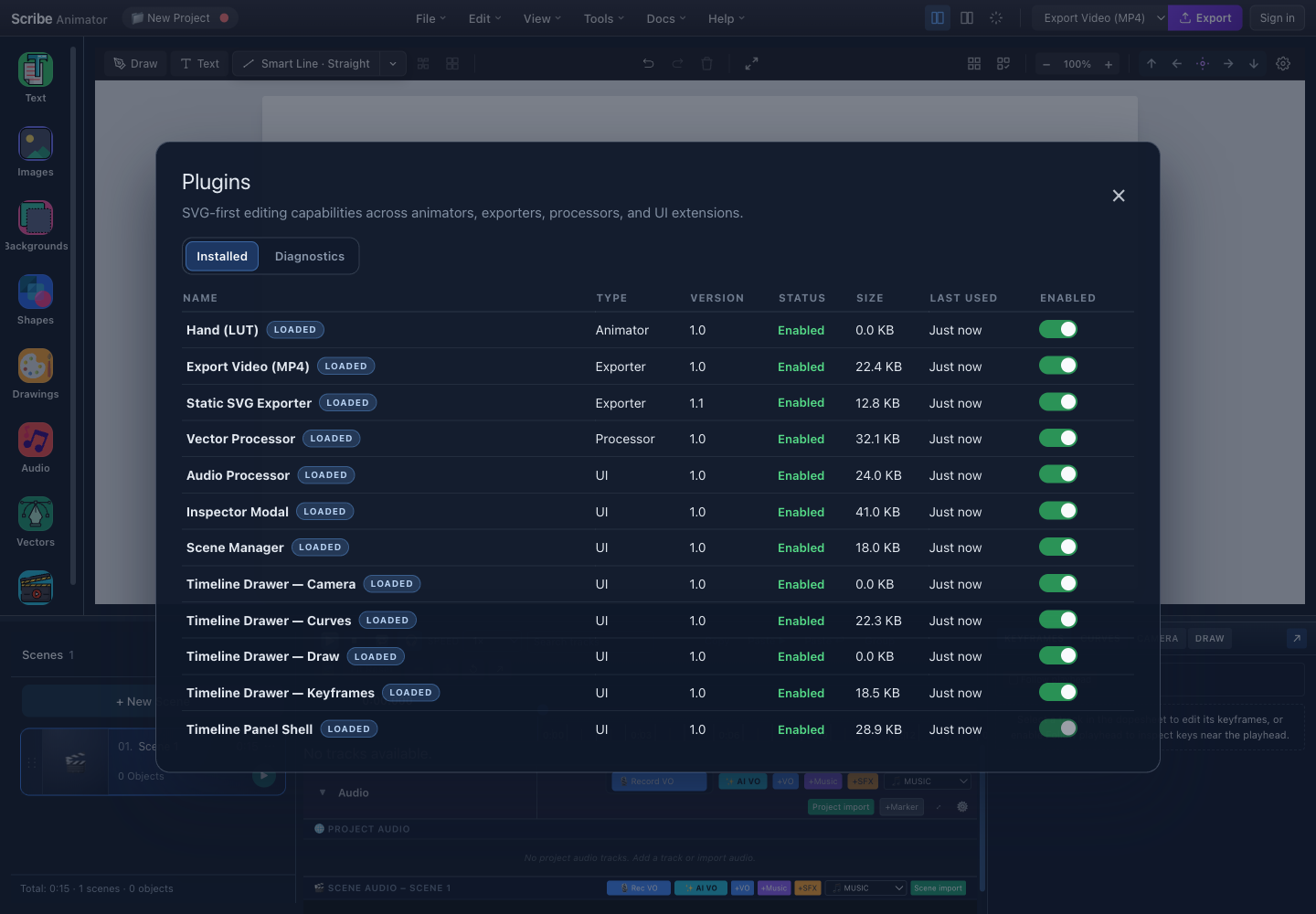
- InstalledReview the capabilities included in this build.
- EnabledChange only an available optional capability.
Enable or disable a capability
Finish active imports or exports first. Read the capability name and status, inspect its details, and change Enabled only when the row is optional and available. Required, missing, faulted, pending, or policy-locked rows may not be toggleable.
Disabling a capability does not convert or repair project data. Re-enable it and preview the project before export.
Permissions and recovery
Grant only permissions that match the action you intentionally started. Use Repair for a supported recoverable fault and Reload for a stale managed capability. Neither action installs a missing package, bypasses policy, or grants denied permissions.
Public contract boundary
Plugin Manager is a supported product surface for capabilities included in the current build. This archived page does not publish private repository locations, implementation topology, administrative controls, or internal security and resource-policy details. For current behavior, use the latest Plugin Manager guide.
Troubleshooting
| Symptom | Recovery |
|---|---|
| Plugin Manager is absent | Update Scribe or contact support |
| Switch is disabled | Read the row status and details |
| Activation rolls back | Read the inline error and try Repair once if available |
| Feature remains unavailable | Confirm that its capability exists in the current build, then contact support |